
Results day and enrolment day software for sixth forms
Students submit GCSE grades online, from home or from the queue. P16 checks each subject against your requirements as the grades arrive, and every member of staff works from the same live screen. Verified grades can be retrieved from the DfE instead of typed in.
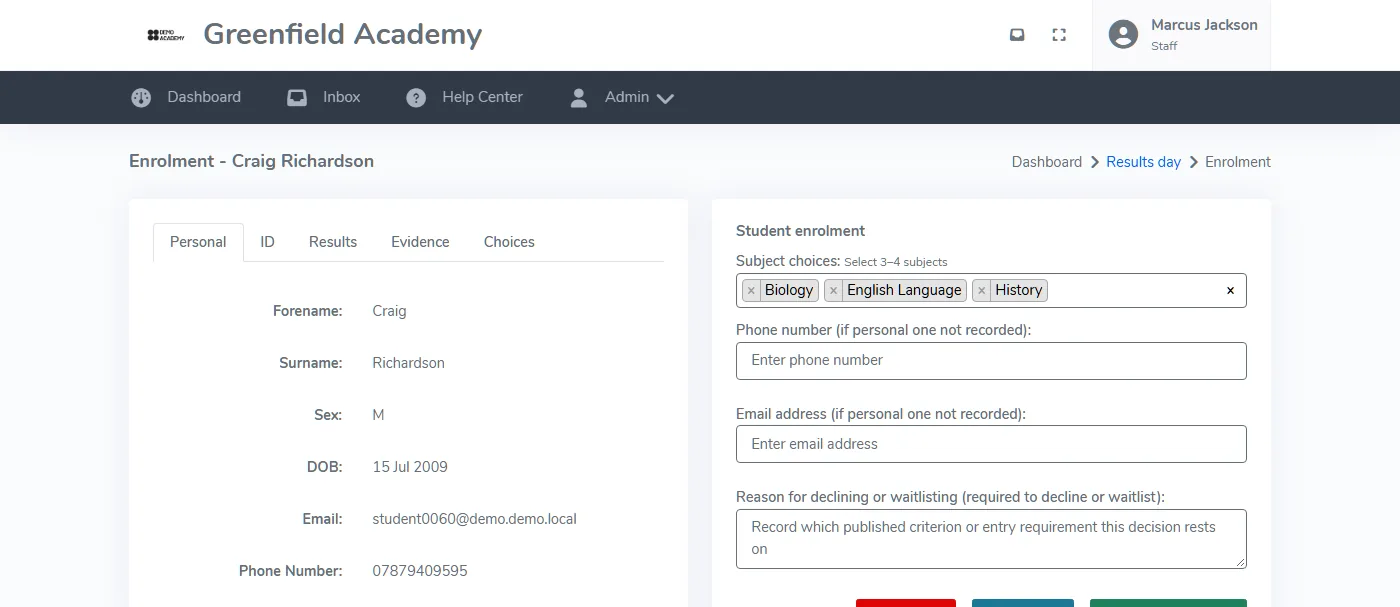
Eligibility checked per subject as grades go in
Students enter their grades on a phone, at home or while queuing. Staff can enter them on a student's behalf. Each set of grades is checked against the requirements for every subject the student applied to, so staff see the full picture straight away.
- Pre-booked time slots spread arrivals through the morning
- Borderline cases held in a structured waiting list
- Staff can override a decision, with the reason logged on the record
- Students who beat their predictions can ask to change subjects
- Confirmation emails sent when a place is confirmed
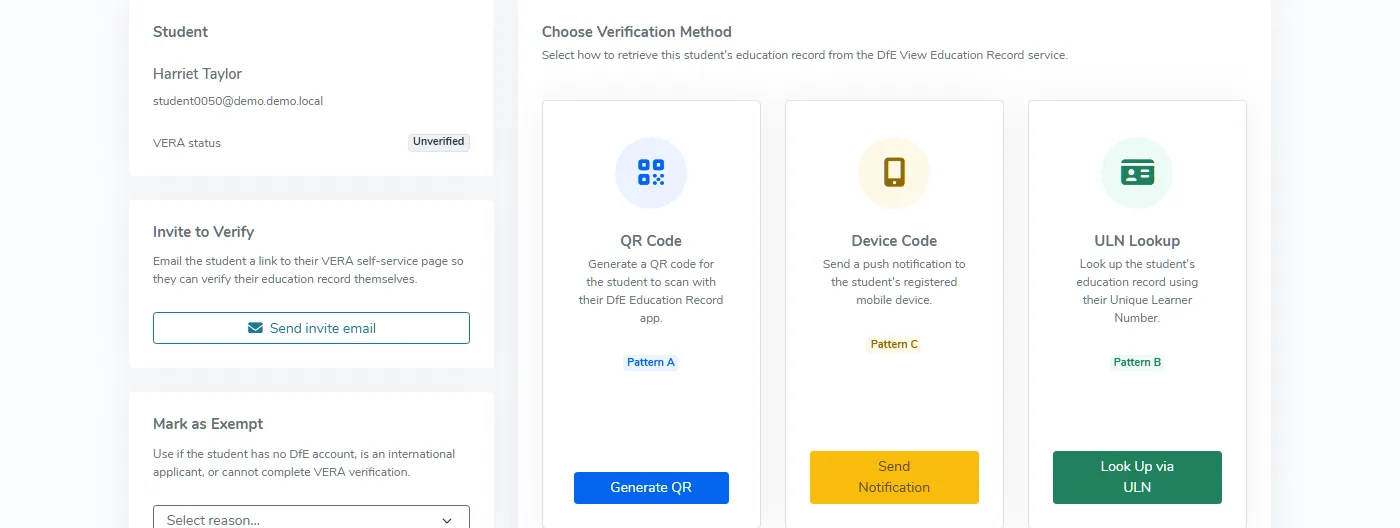
Verified grades from the DfE, not typed in
P16 connects to the DfE's Education Record service. Choose how to retrieve each student's record, and eligibility is checked as soon as the grades arrive. That removes re-keying and the transcription errors that come with it.
- Records retrieved with a QR code, a ULN lookup or a device code
- Grades come from the DfE, not from what a student remembers
- Eligibility checked as the data arrives
- CSV import available as a fallback
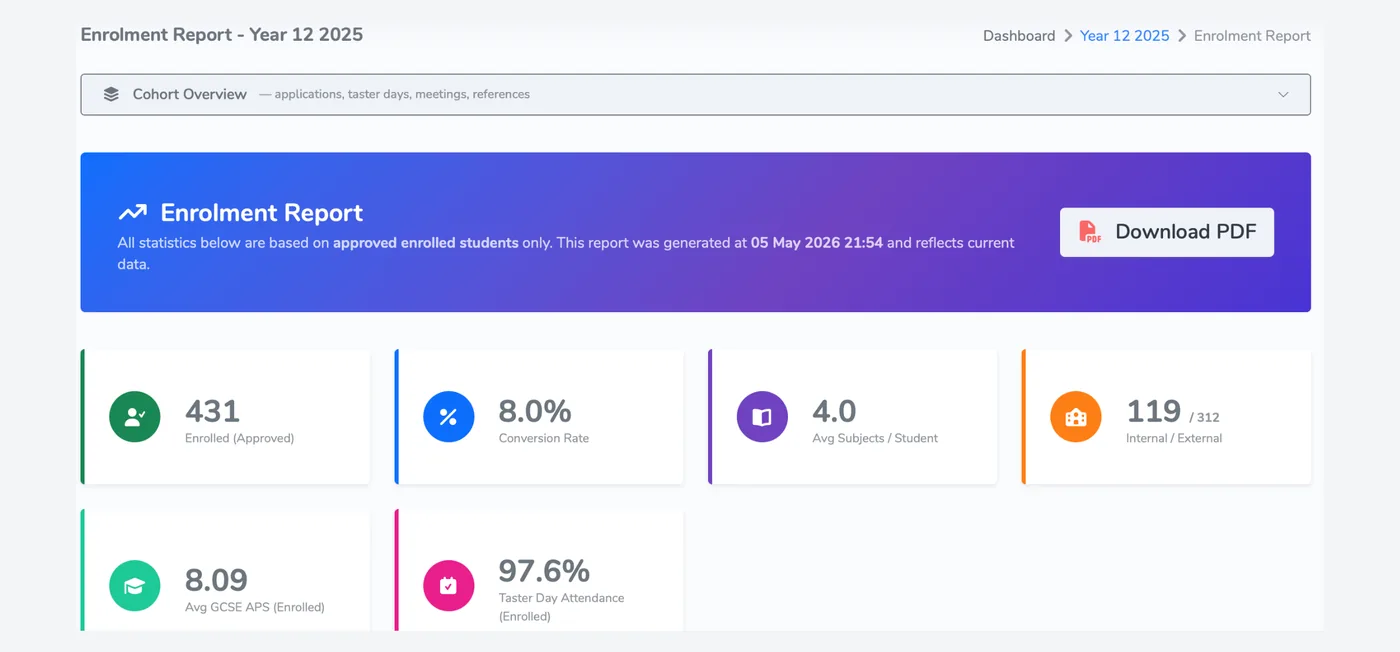
From confirmed place to enrolment report
Once places are confirmed, the same cohort feeds your enrolment report: students enrolled, conversion rate, average subjects per student and taster day attendance, with a PDF to download.
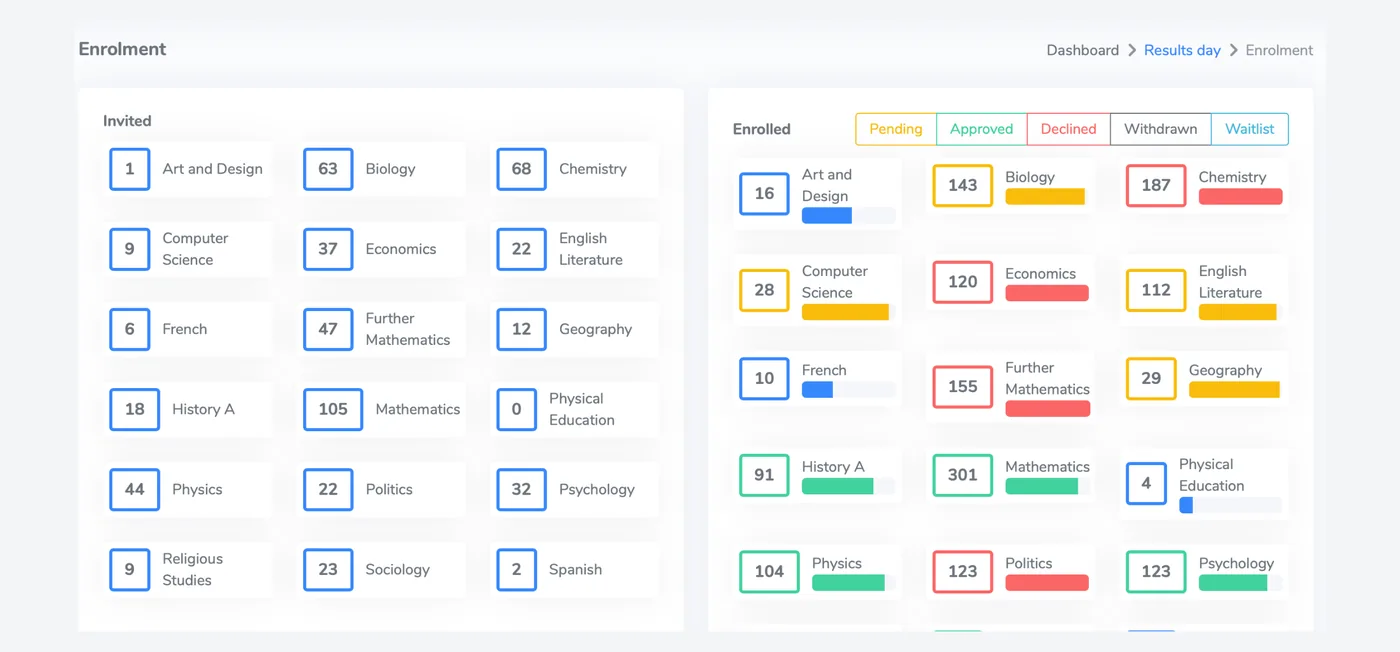
- Approved, declined, withdrawn and waitlisted students in one view
- Live enrolment numbers for the cohort
- PDF download of the enrolment report
- CTF or ATF file for your MIS, CSV for governors and reporting
What comes before and after results day
Taster days
Students who have visited are already known to the system when results day comes.
Taster daysEnrolment and reporting
Confirmed places flow into the enrolment report. Enrolled students go into your MIS as a CTF or ATF file, with CSV for governors and reporting.
See enrolmentPricing
One annual fee based on the students you enrol, with every feature included. Prices start at £575 a year.
See pricingQuestions about results day
Can students submit their GCSE grades online before they come in?
Does P16 import grades from the DfE?
How is subject eligibility checked?
Can a student change their subjects if they do better than predicted?
See results day run against your own requirements
We will take you through grade submission, eligibility checks and the DfE import using your own subjects.