
Taster day planning for sixth forms
Set the capacity for each subject session on one grid, then generate every student's timetable in a click. On the day, students show a QR code and attendance is recorded as they arrive. Templates carry over each year.
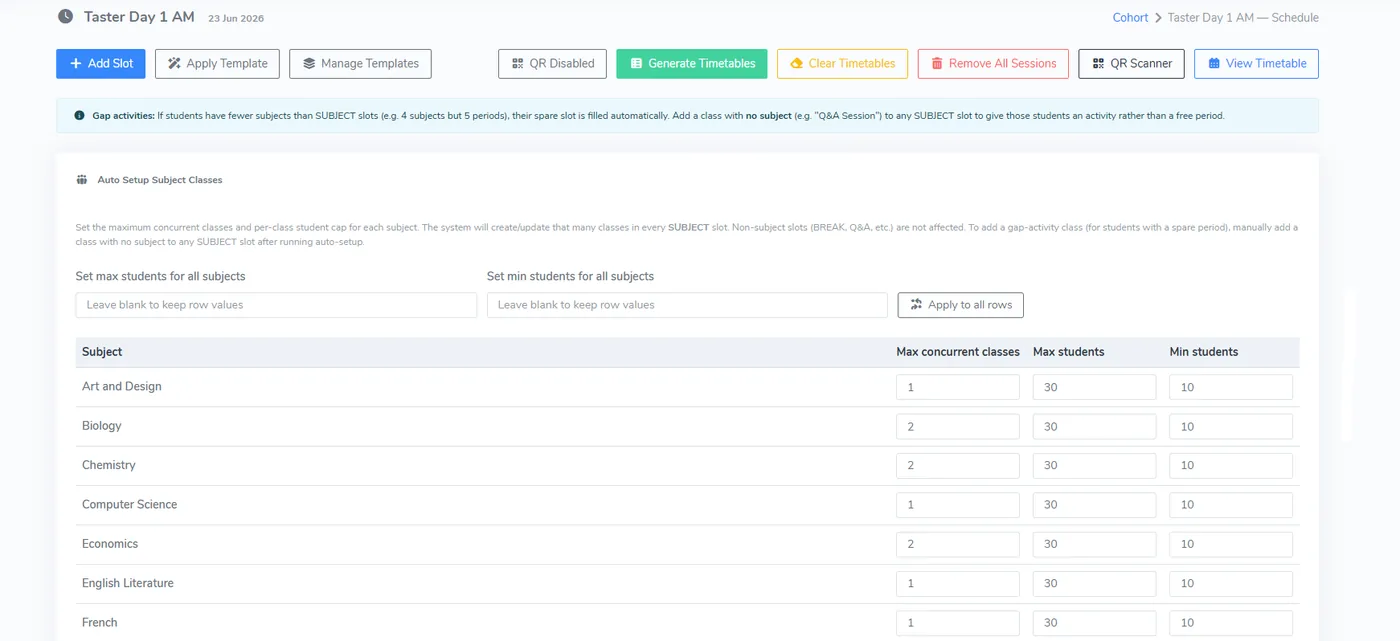
From capacity grid to student timetables
For each subject, set how many classes run at once and the smallest and largest class. P16 creates the classes in every subject slot and allocates students without clashes. A student with a spare period gets a gap activity, such as a Q and A session.
- Capacity set for all subjects at once, or row by row
- Timetables generated in one click
- Any allocation can be changed by hand
- Student timetables downloadable one at a time or in bulk
- A planning spreadsheet for use outside the system
Attendance recorded by QR code
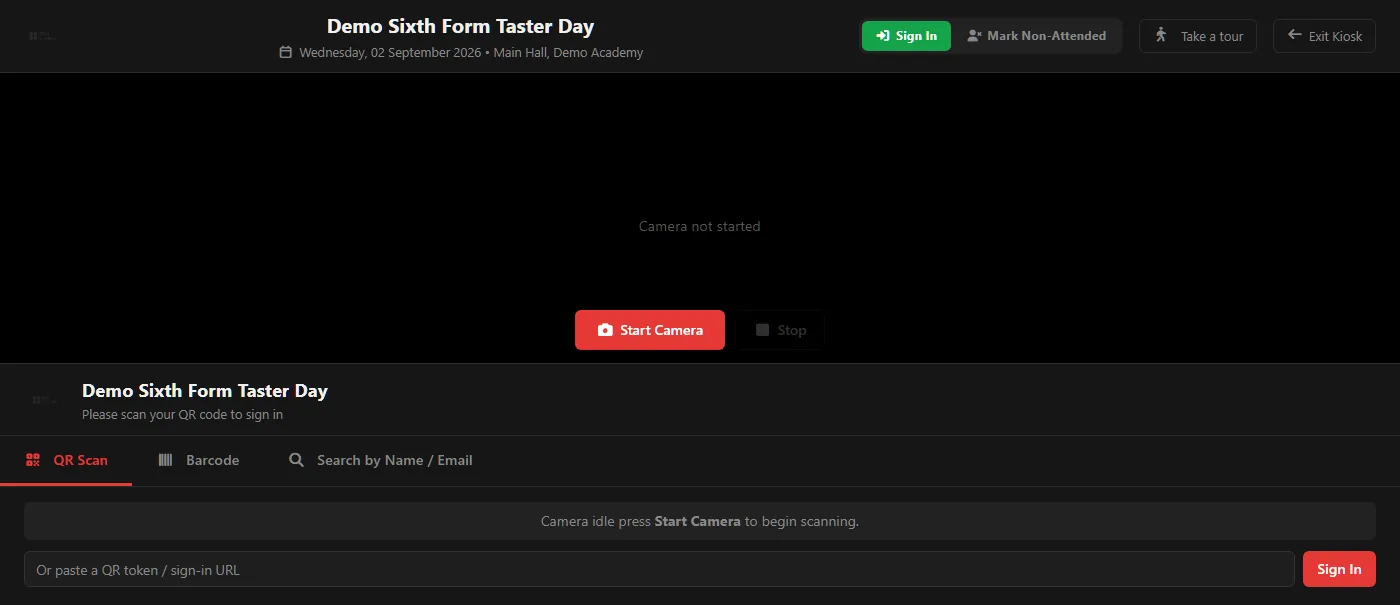
Each student has a QR code for their session, shown on their phone. A member of staff scans it on a phone or tablet as the student arrives. No extra hardware is needed, and a token can be pasted in by hand if the camera is not available.
- A QR code for each student and session
- Scanning with the camera on a phone or tablet
- Late arrivals and no-shows flagged live
- An attendance report at the end of the day
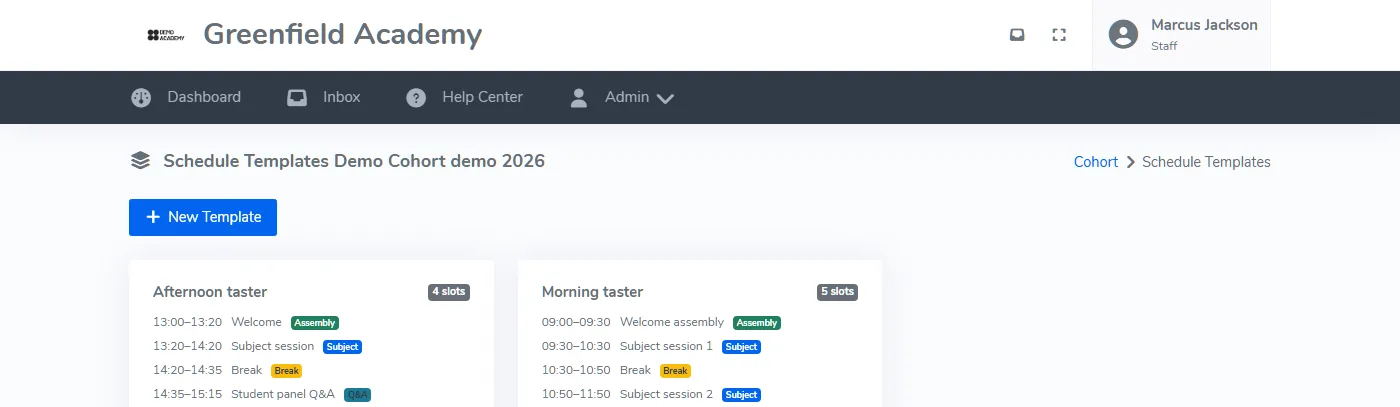
Set the day up once, copy it every year
Save the shape of a taster day as a named template, such as a five-session morning with a break and assemblies. Next year, apply it and adjust the times and capacities instead of starting again.
- Named templates saved for your institution
- Slots, classes and session structure copied in one action
- Templates applied from the schedule screen
- Last year's subject matrix as a starting point
Where taster days fit
Applications
Taster days run from the applicants already in P16, so there is nothing to re-enter.
ApplicationsResults day
After the taster days, results day confirms places against your entry requirements.
Results dayPricing
One annual fee based on the students you enrol, with every feature included. Prices start at £575 a year.
See pricingQuestions about taster days
How does automatic timetable generation work?
How does QR sign-in work at a taster day?
Can we reuse our taster day setup from last year?
Can we download student timetables?
See a taster day built from one grid
We will walk through planning, timetables and QR sign-in in under 30 minutes.