
Take registration fees and deposits online
Set up a fee or deposit once and choose when it is requested: when the application is submitted, when an offer is accepted or when enrolment is confirmed. Students pay by card through Stripe from their application. Staff can waive, mark as paid or refund in a few clicks.
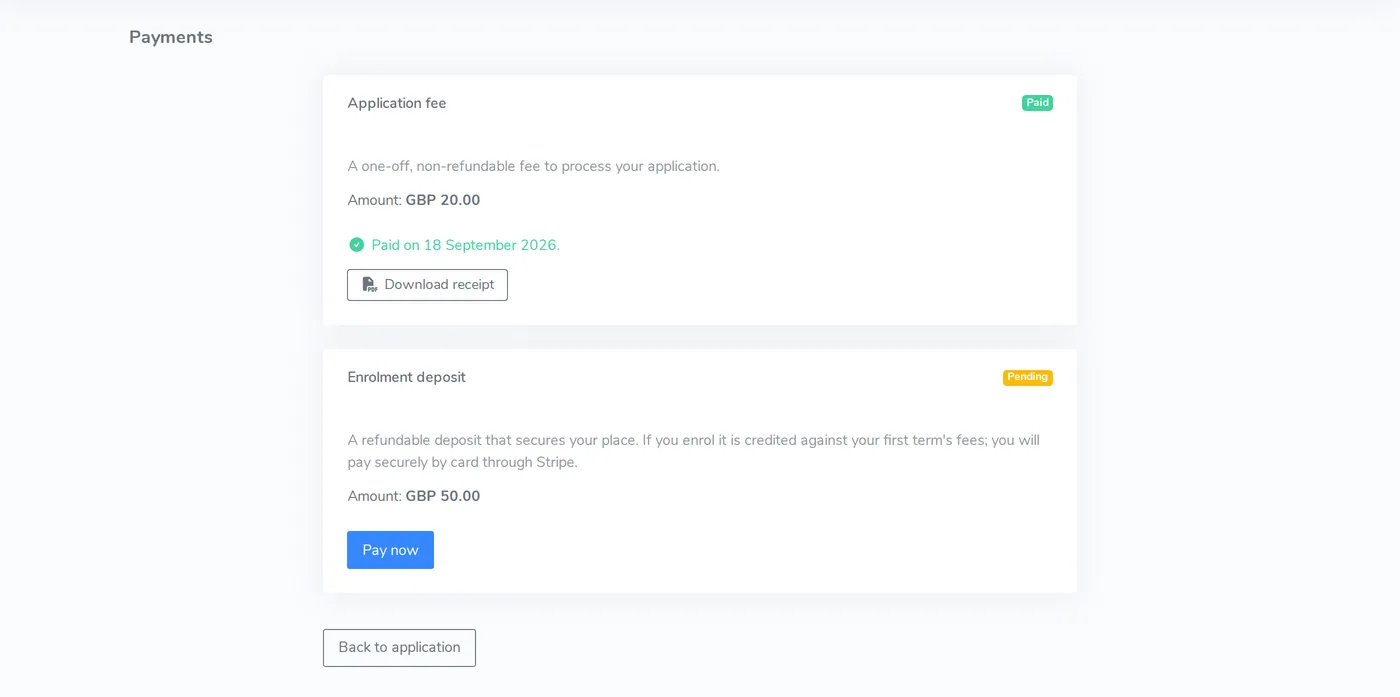
Choose when each fee is requested
Each fee or deposit is set up for a cohort with an amount, a description and a trigger. You can run more than one, for example an application fee at submission and a refundable deposit at enrolment.
- Triggers on submission, offer acceptance or enrolment
- Registration fees, refundable deposits and other charges
- Receipts students can download
- Students see what they owe and what they have paid
Stripe takes the payment, not your staff
Students pay by card through Stripe's checkout. The school's own Stripe account receives the money, and Educoda does not hold or handle funds. Payments are recorded against the student, so there is no bank transfer list to match up.
- Secure Stripe checkout from the student's application
- Money goes to your Stripe account
- No cash handling and no card details passed to staff
Waive, refund and see the totals
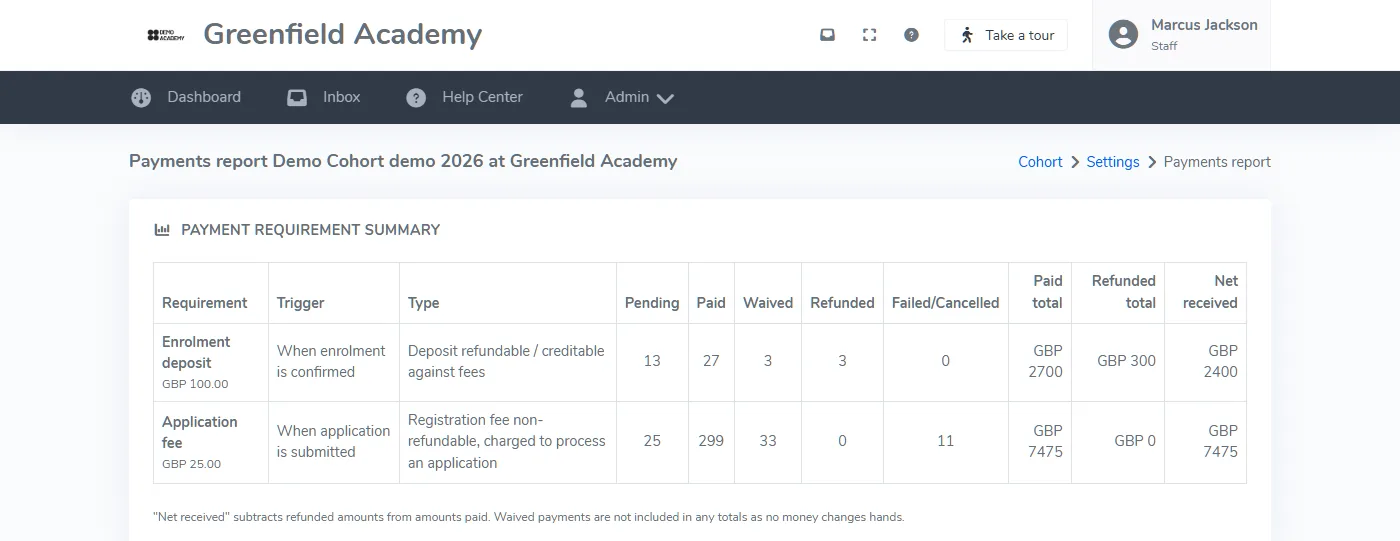
Staff can waive a fee, mark it as paid or refund it from the student's application, for example for a pupil premium student or a withdrawal. Each action records a reason in the audit trail. A cohort report shows what is pending, paid, waived and refunded.
- Waive or mark as paid, with a recorded reason
- Full or partial refunds back to the original card through Stripe
- Cohort report with paid, refunded and net received totals
- Report filtered and exported at any time
Around payments
Enrolment and reporting
Payment status sits alongside confirmed places, withdrawals and cohort numbers.
See enrolmentStudent portal
Students see what they owe and what they have paid in the portal.
Student portalPricing
One annual fee based on the students you enrol, with every feature included. Prices start at £575 a year.
See pricingQuestions about online payments
Which payment provider does P16 use?
When can a fee or deposit be requested?
Can we waive or refund a fee?
Can we see which students have paid?
See how fees would look to your students
Tell us about your fee structure and we will show how it works for your students and your finance team.