
One view of sixth form admissions across every school in your trust
The trust portal brings applications, capacity and enrolment from each school onto one dashboard. Set shared standards once, give regional leads access to their own schools, and plan future intakes from data you can check. It is included for every trust, federation and partnership.
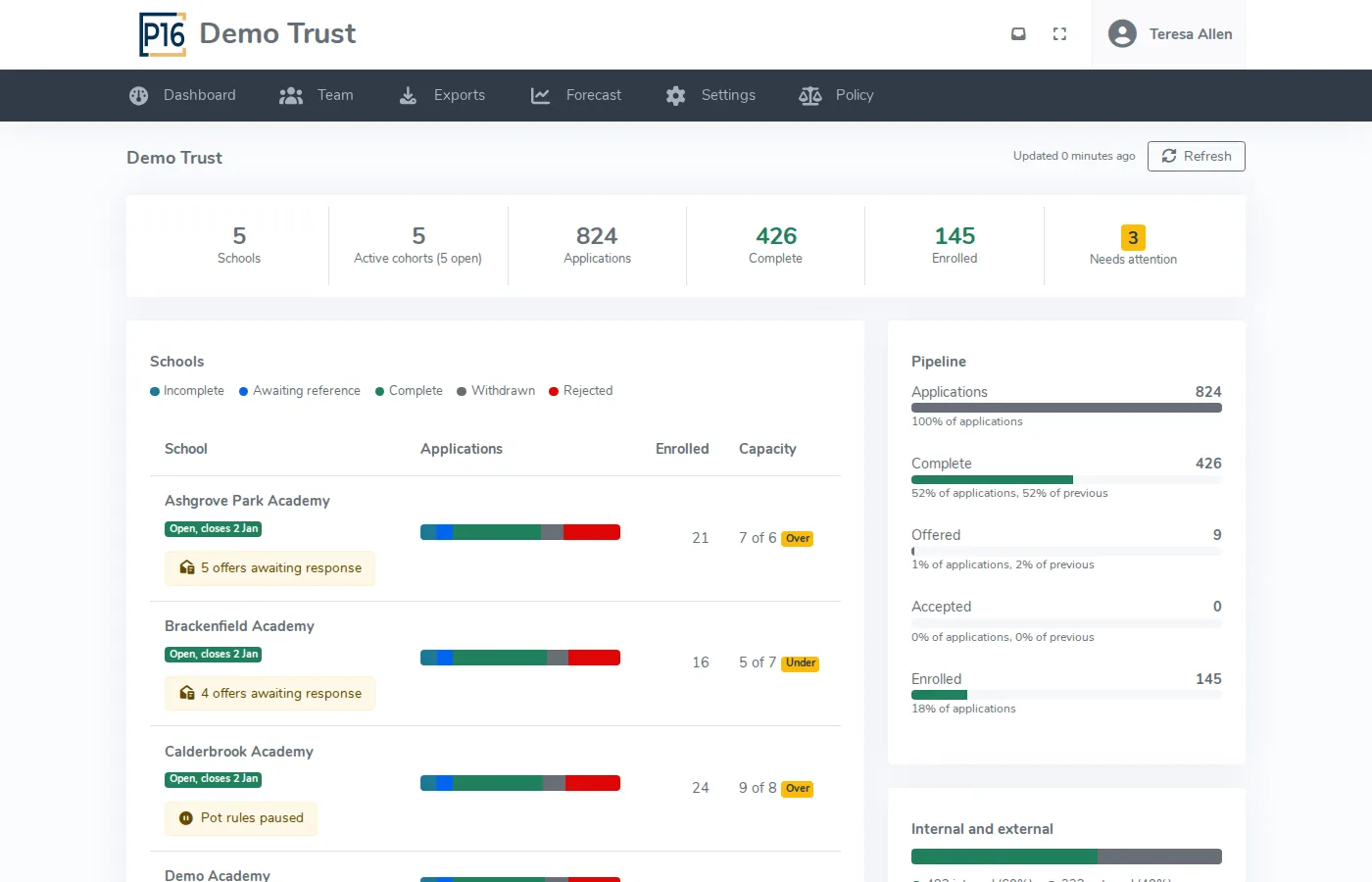
One dashboard across every school
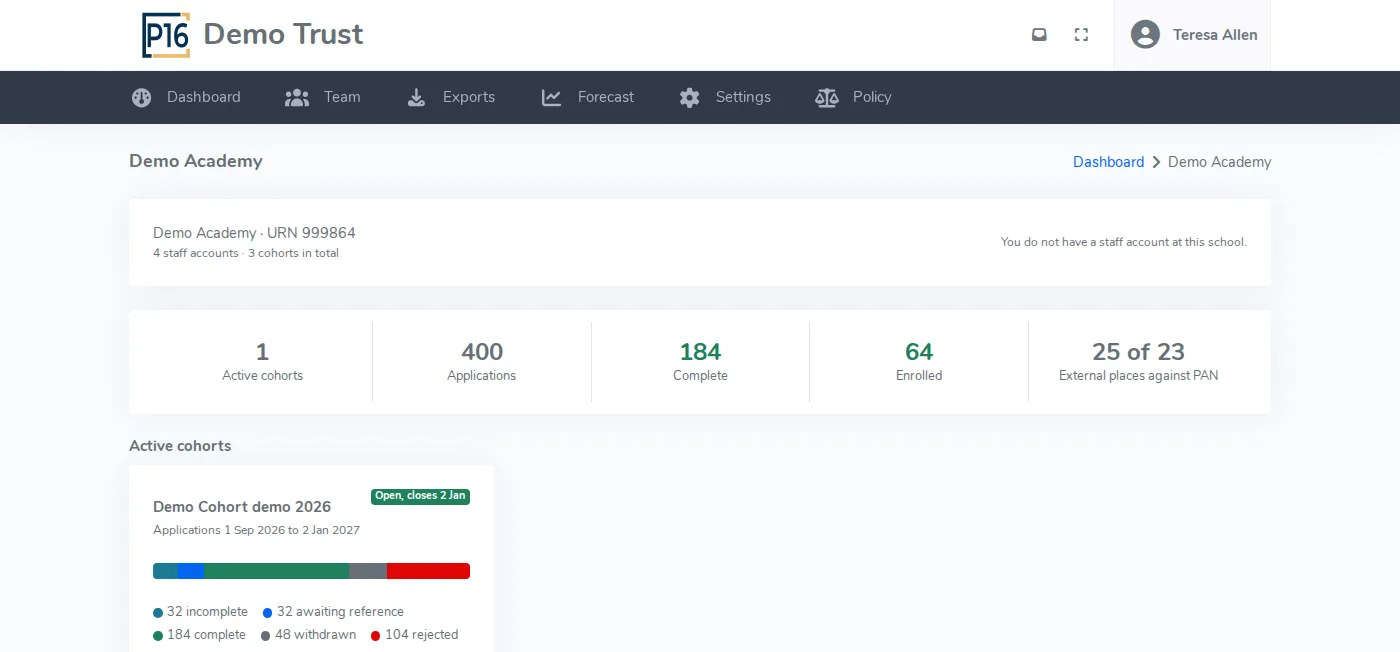
See how admissions are going at every school without asking for a spreadsheet. Totals sit at the top, a bar for each school shows where its applications stand, and anything that needs attention is listed with a link into the school it belongs to.
- Tiles for schools, active cohorts, applications, complete, enrolled and needs attention
- A funnel from applications to complete, offered, accepted and enrolled
- Capacity against each school's PAN, with under and over flags
- Internal and external applicants side by side
- Year on year enrolments as a table and a chart
A central team with the right access
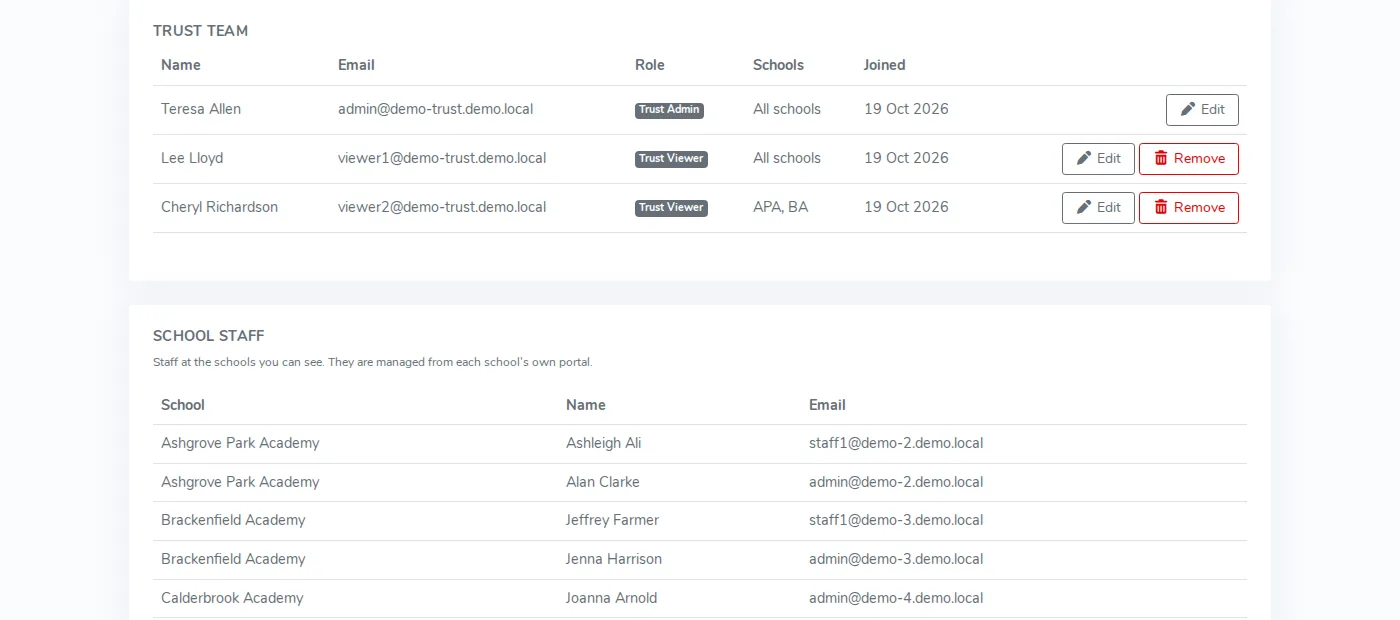
Invite colleagues to the trust team with a role, and limit them to the schools they look after if you want to. A regional lead sees their own schools and nothing else.
- Trust Admin and Trust Viewer roles
- Access scoped to all schools or a chosen subset
- Two-factor authentication required for Trust Admins
- Every settings change audited against the school it affects
Set the standard once
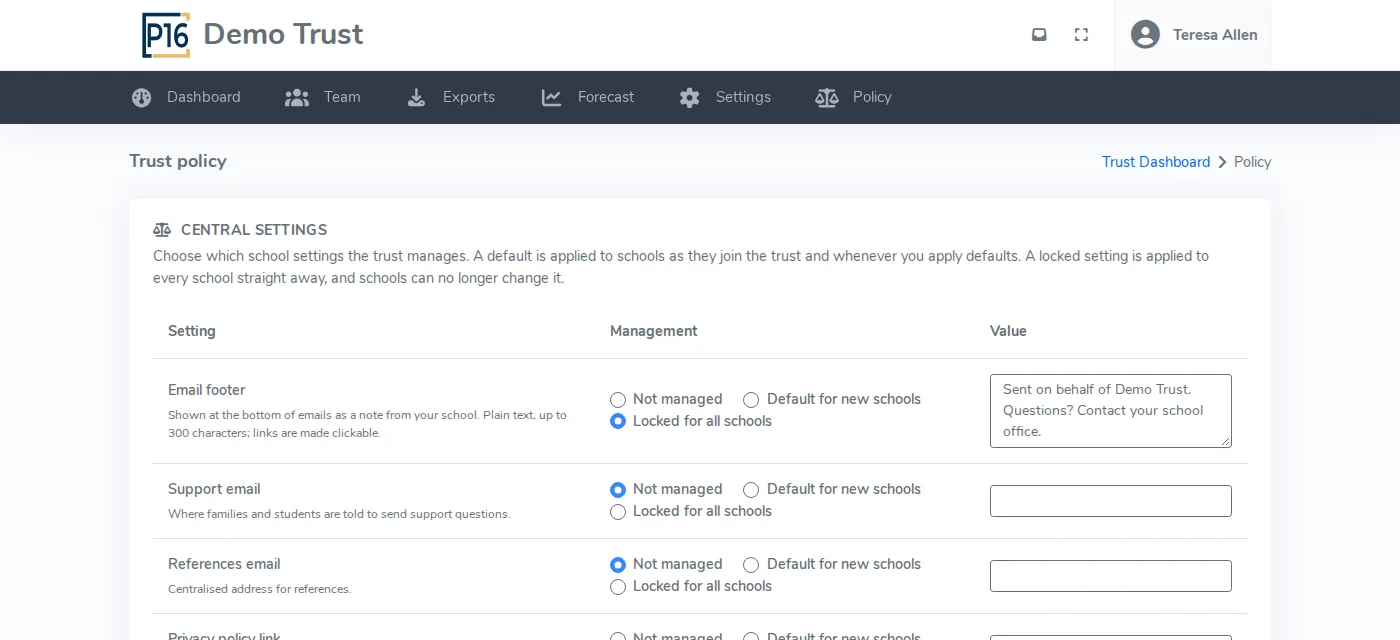
For each setting, choose whether the trust leaves it to schools, offers it as the default for new schools, or locks it for every school. A locked setting is greyed out on the school's own settings page, so nobody has to police it.
- Not managed, default for new schools, or locked for all schools
- Email footer, support and references email, and privacy link
- Admissions Code mode and conditional offers
- Data retention and the medical and dietary declaration
- Inbound sender domains for each school
Intake projections you can check
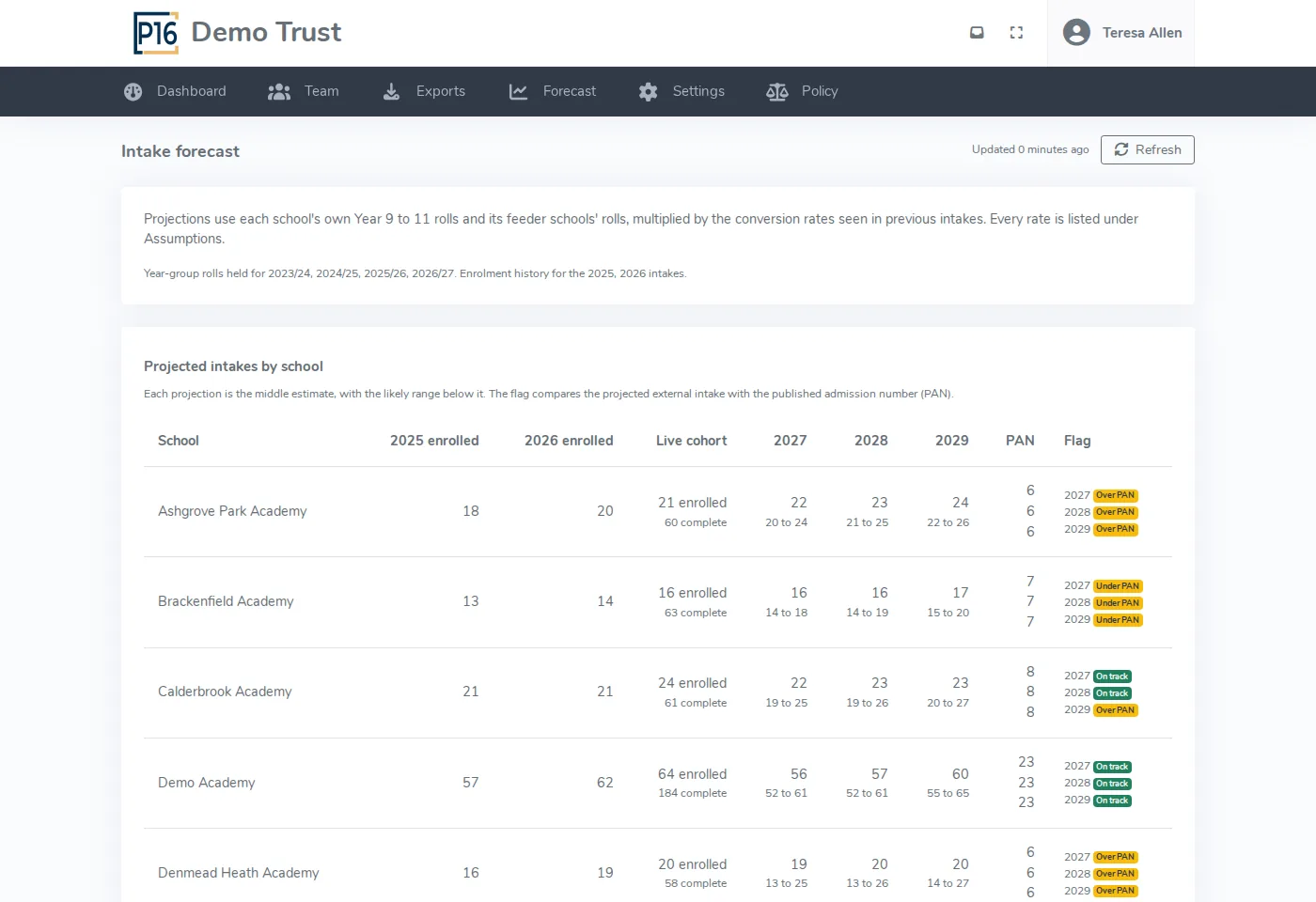
P16 projects each school's next three intakes from the Year 9 to 11 rolls at the school and at its feeder schools, multiplied by the conversion rates seen in previous intakes. Nothing is hidden: every rate behind a projection is listed, so you can audit the numbers before you plan staffing on them.
- Three years ahead, school by school and for the whole trust
- A low to high range around each projection
- Flags where the projected intake is over or under PAN
- Every conversion rate listed under Assumptions
- A labelled straight-line trend where history is short
Drill into any school
Click a school to see its cohorts and applications. The pages are read-only. If you also work at that school, open its own portal in one click. When you need the numbers elsewhere, export them to a spreadsheet.
- Read-only school and cohort pages
- Open the school's own portal if you also work there
- Excel exports of applications, enrolments, overview, staff and forecast
- Only the schools you have access to are included
How pricing works for trusts
Each school stays on its own band, set by its own student numbers. We then take a percentage off the combined fee and send one invoice for the group. The trust portal is included at no extra cost.
Questions about the trust portal
Can a school belong to more than one trust?
Can central staff change a school's applications?
What data does forecasting need?
Does the trust see student personal data?
What about federations and local authority partnerships?
How do schools join the trust?
See every school in your trust on one screen
We will walk through the dashboard, shared settings and intake projections in under 30 minutes.