
Every sixth form application asks for a reference from the student's current school, and every admissions officer has a folder of emails that begin "Just following up on my message of the 14th". References arrive late because the person writing them is a Year 11 tutor or head of year in the busiest term of their year, being asked by twenty different sixth forms, each with a different form. The process below does not make referees faster. It makes chasing them somebody else's job, and mostly nobody's.
Ask for less
The quickest way to get a reference back is to make it short. A sixth form needs four things from a referee: predicted grades for the subjects the student has applied for, attendance, a line on behaviour, and whether there is anything the sixth form should know. A referee can supply that in five minutes. A two-page form asking for a paragraph on "the applicant's contribution to the wider life of the school" takes forty, and goes to the bottom of the pile.
Ask for predicted grades in the same format you use for entry requirements, so that they can be compared without translation. If your physics requirement is a 6, you want to know the predicted physics grade as a number, not "working at a good level".
Do not make referees create an account
A referee who has to register, verify an email address and set a password before they can see the form has already lost interest. Send each referee a link that opens the form for that student directly, with a token in the link that identifies the student and expires after the reference is submitted. One link, one form, no login. The same link works if they put the email down and come back to it on Friday.
Make sure the request says who the student is, which sixth form is asking, and when it is needed by, in the first two lines. Referees skim.
Let the student do the asking
The admissions officer should not be the one typing referee email addresses. The student knows who their tutor is; make the referee's name and school email part of the application, and send the request the moment the application is submitted. Validate the email domain against the student's current school where you can, and give staff a way to correct a wrong address without starting over, because a fifth of students will type their own email, their mum's, or a tutor who left in July.
Set the reminders once and let them run
This is the part that removes the folder of follow-up emails. Decide a schedule, for example a reminder after seven days, again after fourteen, and a final one three days before the closing date, and have the system send them without anyone pressing a button. The reminder should go to the referee, with the same link, and a copy of the final one to the student, who is often in a better position to walk down the corridor and ask.
Stop reminders the moment the reference arrives. Nothing damages a sixth form's reputation with feeder schools faster than chasing a reference that was submitted a week ago.
See the state of every reference on one screen
What the admissions officer needs is not a mailbox but a list: every applicant, the referee's name and address, whether the request was delivered, whether the link was opened, and whether the reference is in. Sorted by status, that list is the whole job. The applicants with a request that has bounced need a corrected address. The ones whose referee opened the link and did not finish need a nudge. Everyone else needs nothing.
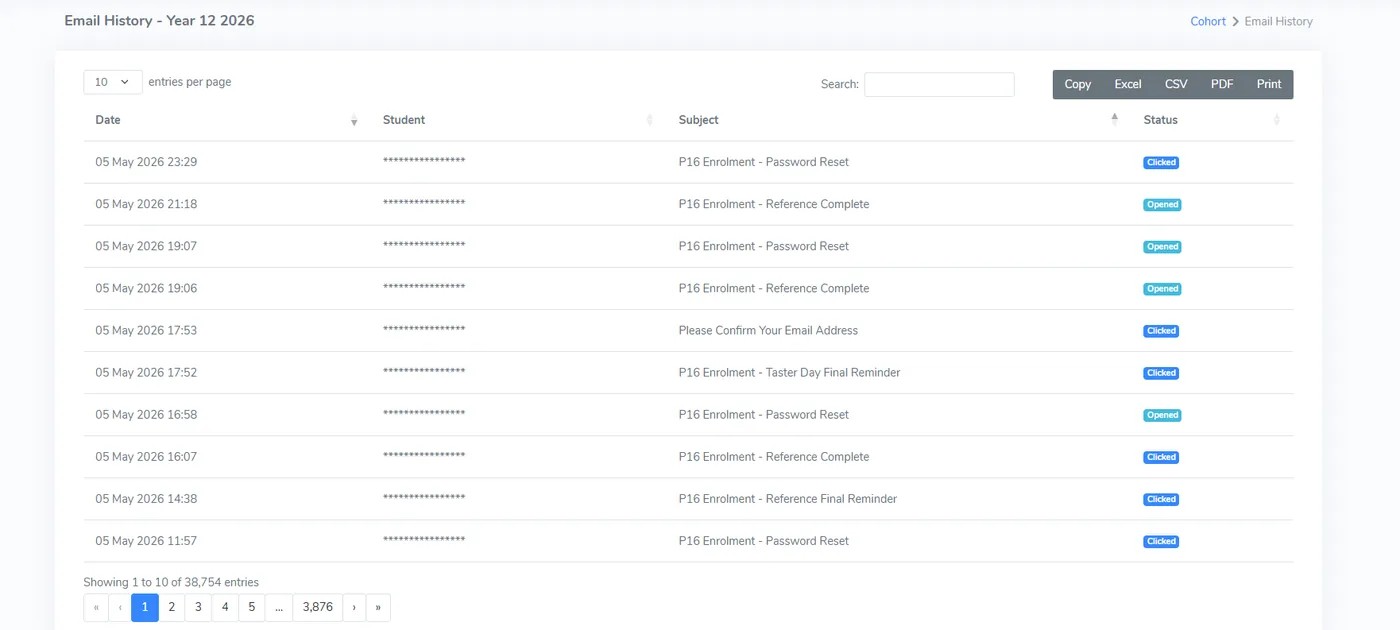
Log every message against the student's record as it goes out, including the reminders. When a feeder school says "we were never asked", the answer is a timestamp.
What to do with the reference once it is in
Put the predicted grades next to the entry requirements and flag the gaps. An applicant predicted a 5 in a subject that needs a 6 is not declined in January, but they are a conversation at the admissions meeting and a name to watch on results day. The reference should also feed the interview: a tutor's comment on attendance is a better opening question than anything on the application form.
How P16 runs this
In P16 the applicant names their referee as part of the application, and the request goes out automatically on submission with a secure link that needs no account. Referees submit predicted grades alongside the reference, and the grades sit on the student's record next to the subject requirements. Reminders go out at the intervals the sixth form sets and stop when the reference arrives; staff can resend a request or correct a referee's details from the student's profile. Every message is logged against the student and the cohort with its delivery and opened status. The features page shows the reference screen.